


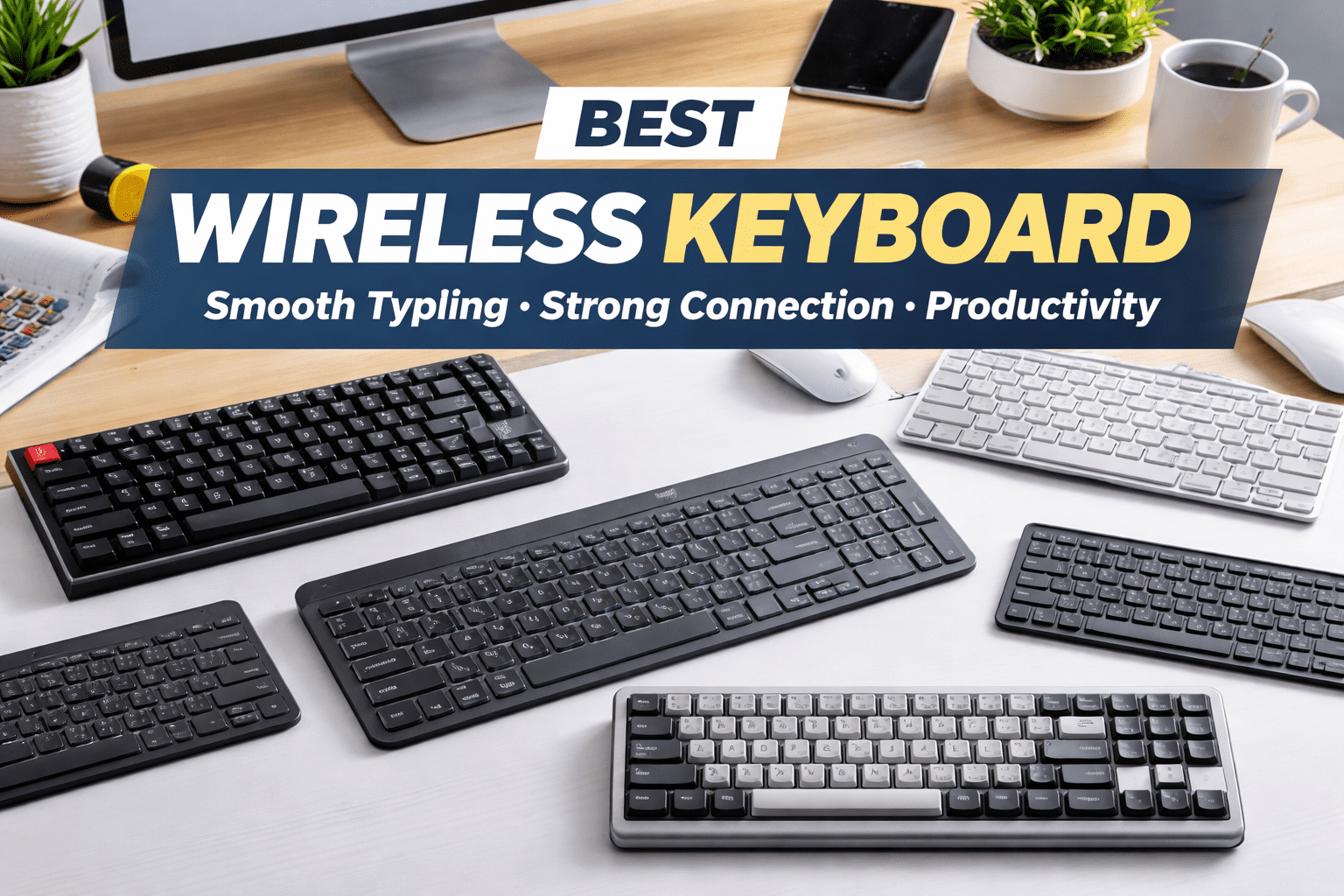
A wireless keyboard is no longer just a convenience—it is a core productivity tool. Whether you work from home, study, write content, code, or manage daily tasks, the right wireless keyboard can significantly improve comfort, efficiency, and desk organization. Without cables, your workspace stays clean, flexible, and easier to manage, especially when switching between multiple devices like laptops, desktops, and tablets.
The best wireless keyboard combines three essential elements: a comfortable typing experience, a stable wireless connection, and long battery life. Some users prefer quiet, low-profile keys similar to laptop keyboards, while others enjoy the tactile feedback of mechanical switches. Portability, layout size, and charging convenience also play an important role in long-term satisfaction.
This guide focuses on wireless keyboards that perform consistently in real-life use. Instead of trends or short-term features, the selections below prioritize durability, everyday comfort, and reliable connectivity. Each product has been chosen to suit different needs—productivity, budget, mechanical typing, travel, and mixed work-plus-leisure use—so you can confidently choose a keyboard that fits your workflow today and remains useful for years.
Quick Picks
| Best for | Product name | Check Price |
|---|---|---|
| Everyday productivity | Logitech MX Keys S | Amazon↑ |
| Budget-friendly use | Keychron B1 Pro | Amazon↑ |
| Mechanical typing feel | Keychron Q5 Max | Amazon↑ |
| Travel & portability | Logitech Keys-To-Go 2 | Amazon↑ |
| Work + light gaming | Razer Pro Type Ultra | Amazon↑ |
Logitech MX Keys S – Best for Everyday Productivity

The Logitech MX Keys S is designed for people who type for hours every day and want a smooth, quiet, and dependable experience. Its low-profile scissor keys are slightly concave, guiding your fingers naturally to the center of each key. This reduces typing errors and finger fatigue, making it ideal for writing, office work, spreadsheets, and multitasking.
In terms of specifications, the keyboard uses high-quality scissor switches with a solid metal base that adds stability. It connects wirelessly via Bluetooth or a USB receiver, allowing seamless switching between up to three devices. The keyboard includes smart backlighting that adjusts automatically based on ambient light and turns off when not needed to conserve power.
Using the MX Keys S is simple. Pair it once, then switch between devices with dedicated keys. Charging is done via USB-C, and a full charge can last weeks under normal use. The keyboard wakes instantly when your hands approach, which makes daily workflow feel uninterrupted.
The main benefit is consistency. In real usage, the keys feel balanced and precise, even during long typing sessions. It performs equally well for emails, documents, creative writing, and professional tasks, making it a reliable choice for everyday productivity.
Keychron B1 Pro – Best Budget Wireless Keyboard

The Keychron B1 Pro is built for users who want a reliable wireless keyboard without spending too much. It focuses on essential performance—comfortable typing, stable connectivity, and long battery life—while keeping the design simple and lightweight.
This keyboard features low-profile keys with a slim form factor. It supports both Bluetooth and 2.4GHz wireless connections, which is uncommon in its price range. The absence of backlighting helps extend battery life, allowing the keyboard to last for weeks on a single charge.
Setting it up is straightforward. Pair your device via Bluetooth or the wireless receiver, and switching between devices is smooth. The keys offer a comfortable typing feel suitable for daily tasks such as browsing, writing, studying, and general office work.
In real-world use, the B1 Pro performs reliably with minimal input delay. While it does not feel as premium as higher-end models, it delivers excellent value for money. It is a practical option for students, home users, or anyone looking for a dependable wireless keyboard on a budget.
Keychron Q5 Max – Best Mechanical Wireless Keyboard

The Keychron Q5 Max is designed for users who prefer the tactile feedback of a mechanical keyboard but still want wireless freedom. It combines a premium build with advanced customization, making it suitable for professionals, writers, and keyboard enthusiasts.
This model features a solid aluminum body, hot-swappable mechanical switches, and support for Bluetooth and 2.4GHz wireless modes. The keyboard feels heavy and stable on the desk, which improves typing accuracy. Battery life remains strong even with regular use.
Using the Q5 Max may involve some initial setup, especially if you customize switches or key mappings. Once configured, the typing experience is excellent. Each keystroke feels deliberate and responsive, making it ideal for long writing sessions or detailed work.
In everyday use, this keyboard stands out for precision and comfort. The mechanical feel helps reduce typing mistakes, and the robust build ensures durability over time. It is best suited for users who value typing quality over portability.
Logitech Keys-To-Go 2 – Best for Travel and Portability

The Logitech Keys-To-Go 2 is designed for mobility. Its ultra-thin, lightweight design makes it easy to carry in a bag alongside a laptop or tablet. This keyboard is ideal for people who work on the move or need a compact secondary keyboard.
It connects via Bluetooth and is compatible with a wide range of devices. The sealed key surface helps protect against spills and dust, while the battery can last for months under normal use.
Using the keyboard is effortless—pair once and it reconnects automatically. The keys are smaller and flatter than full-size keyboards, but they remain comfortable for short to medium typing sessions.
In real usage, the Keys-To-Go 2 excels during travel, meetings, or quick work sessions. It is not intended for heavy all-day typing, but for portability and convenience, it performs reliably and feels well designed.
Razer Pro Type Ultra – Best for Work and Light Gaming
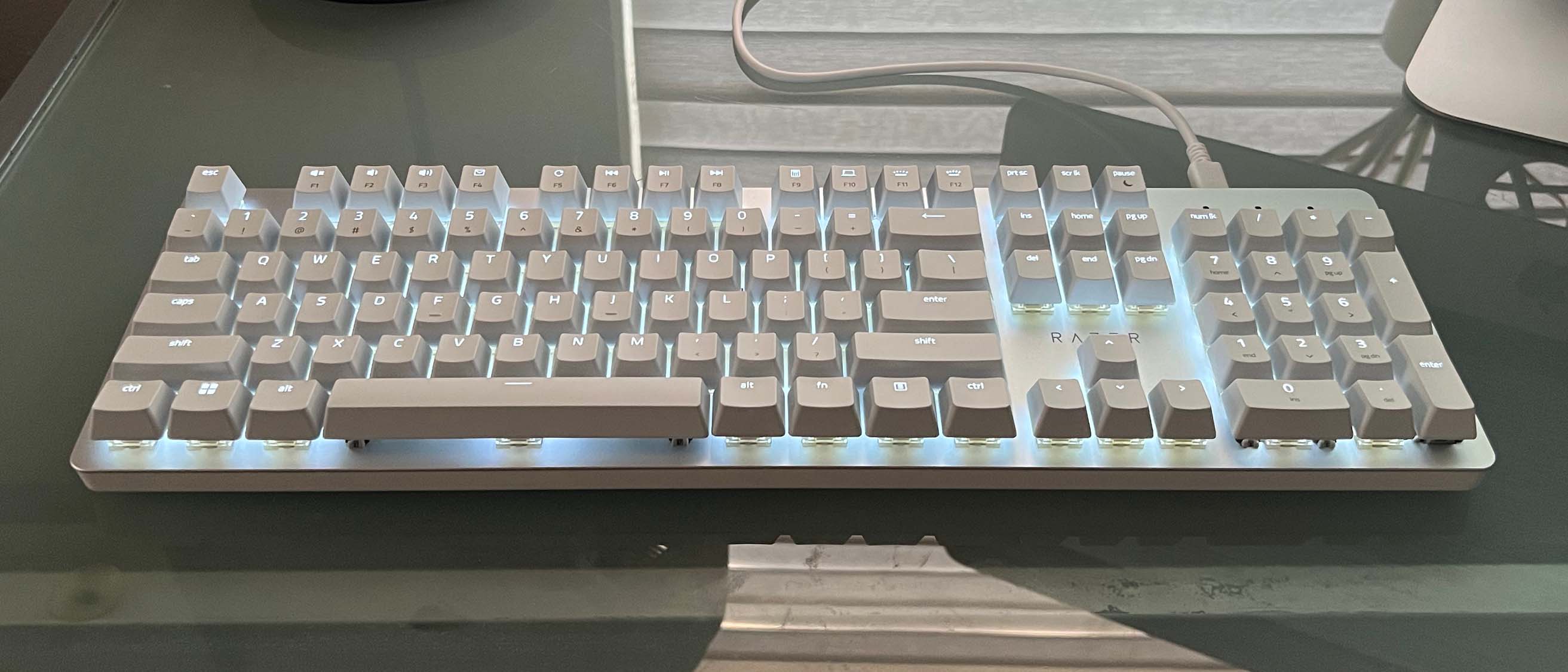
The Razer Pro Type Ultra blends productivity with performance. It is designed for users who want a mechanical-style typing feel with quiet operation and stable wireless connectivity.
This keyboard features silent mechanical switches, a soft-touch surface, and a detachable wrist rest for added comfort. It supports Bluetooth and a dedicated wireless receiver, ensuring strong and consistent connections. Battery life is solid, even with frequent use.
Setup is quick, and switching between devices is intuitive. The typing feel is tactile but quiet, making it suitable for both office environments and home setups.
In real-world use, the Pro Type Ultra feels responsive and comfortable for long sessions. It handles productivity tasks smoothly and can also support casual gaming, making it a versatile all-round option.
Comparison Table
| Keyboard | Typing style | Wireless options | Battery life |
|---|---|---|---|
| Logitech MX Keys S | Low-profile, quiet | Bluetooth + USB | Very long |
| Keychron B1 Pro | Low-profile | Bluetooth + 2.4GHz | Long |
| Keychron Q5 Max | Mechanical | Bluetooth + 2.4GHz | Long |
| Logitech Keys-To-Go 2 | Compact, flat | Bluetooth | Very long |
| Razer Pro Type Ultra | Quiet mechanical | Bluetooth + USB | Long |
How We Researched & Chose
Each keyboard was evaluated based on everyday usability rather than short-term features. We focused on typing comfort, key stability, wireless reliability, and battery efficiency during extended use. Keyboards that performed well across different tasks—writing, office work, and general productivity—were prioritized.
We also considered ease of setup, multi-device support, and long-term durability. Models that offered consistent performance without frequent charging or connection issues were ranked higher. This approach ensures the recommendations remain practical and relevant over time.
Buying Guide
Start by identifying your primary use. For office work and writing, low-profile keyboards with quiet keys provide the most comfort. Mechanical keyboards are better for users who prefer tactile feedback and precision, though they are usually heavier.
Connection type matters as well. Bluetooth offers wide compatibility, while wireless receivers often provide lower latency. Battery life should match how often you type—long-lasting batteries reduce interruptions. Finally, consider size and portability. Full-size keyboards suit desk setups, while compact models are better for travel.
Final Recommendation
For most users, the Logitech MX Keys S offers the best balance of comfort, reliability, and long-term usability. Budget-conscious users will find excellent value in the Keychron B1 Pro, while mechanical keyboard fans should consider the Keychron Q5 Max. Choose based on your typing style and daily workflow for the best experience.
Frequently Asked Questions
1. Are wireless keyboards suitable for daily work?
Yes, modern wireless keyboards are reliable and well suited for everyday professional use.
2. How long does a wireless keyboard battery last?
Battery life varies, but many models last several weeks or months per charge.
3. Can one wireless keyboard connect to multiple devices?
Many wireless keyboards support multi-device pairing with easy switching.
4. Are mechanical wireless keyboards practical?
Yes, they offer excellent typing feedback and durability for frequent typists.
5. Is Bluetooth better than a USB receiver?
Bluetooth is more universal, while USB receivers often provide slightly faster and more stable connections.